Founders Program · 30 hand-picked spots

Run your studio.
Not the other way around.

The studio platform built by a working photographer. CRM, proposals, e-signed contracts, invoices, galleries and online booking, plus an AI assistant that actually takes action. By text, by voice, or from Telegram.

14
Day Pro trial
13
Workflow templates
$0
Free plan, forever
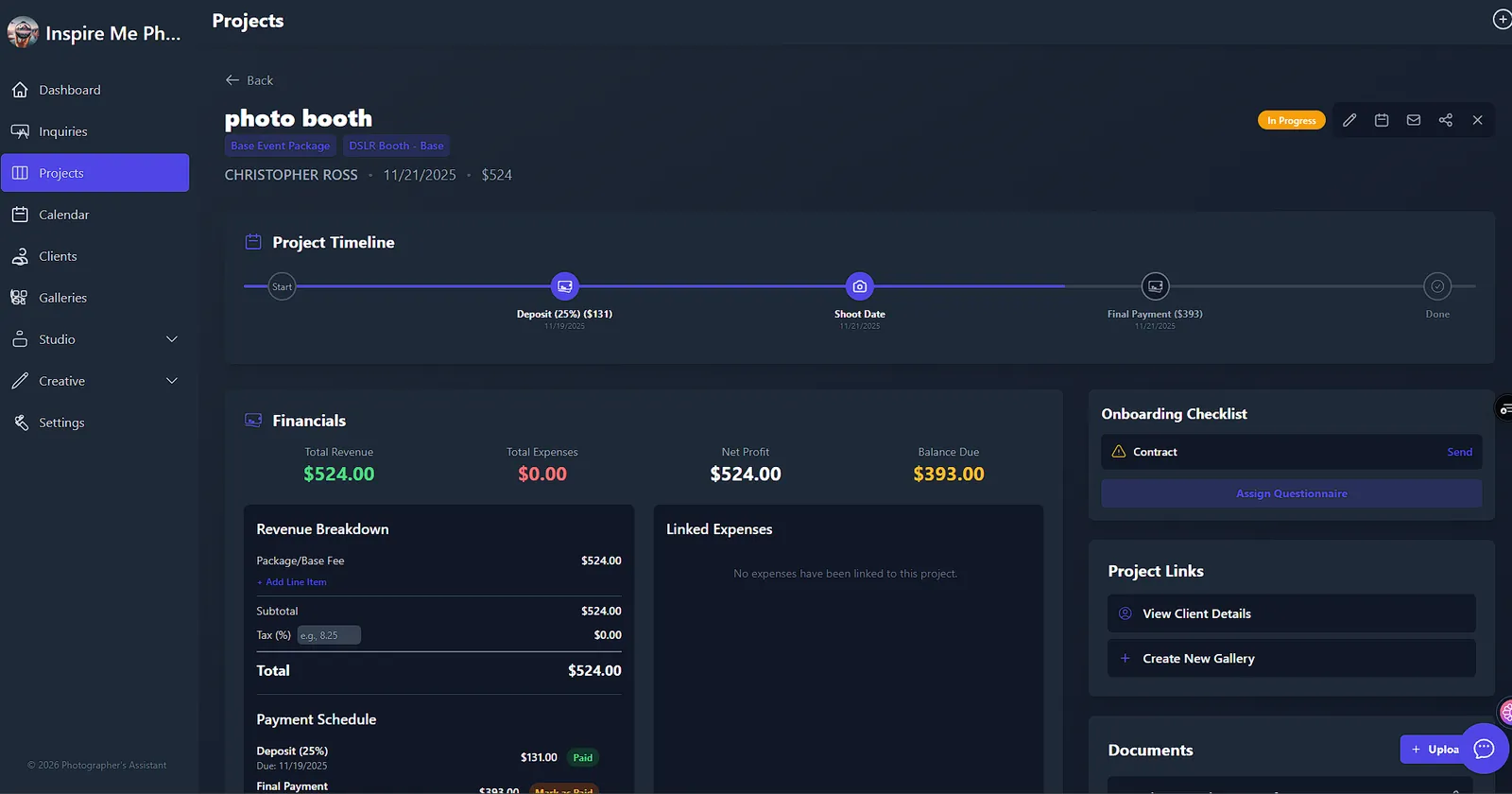
FrameOps project dashboard showing the project timeline, financials, payment schedule and onboarding checklist
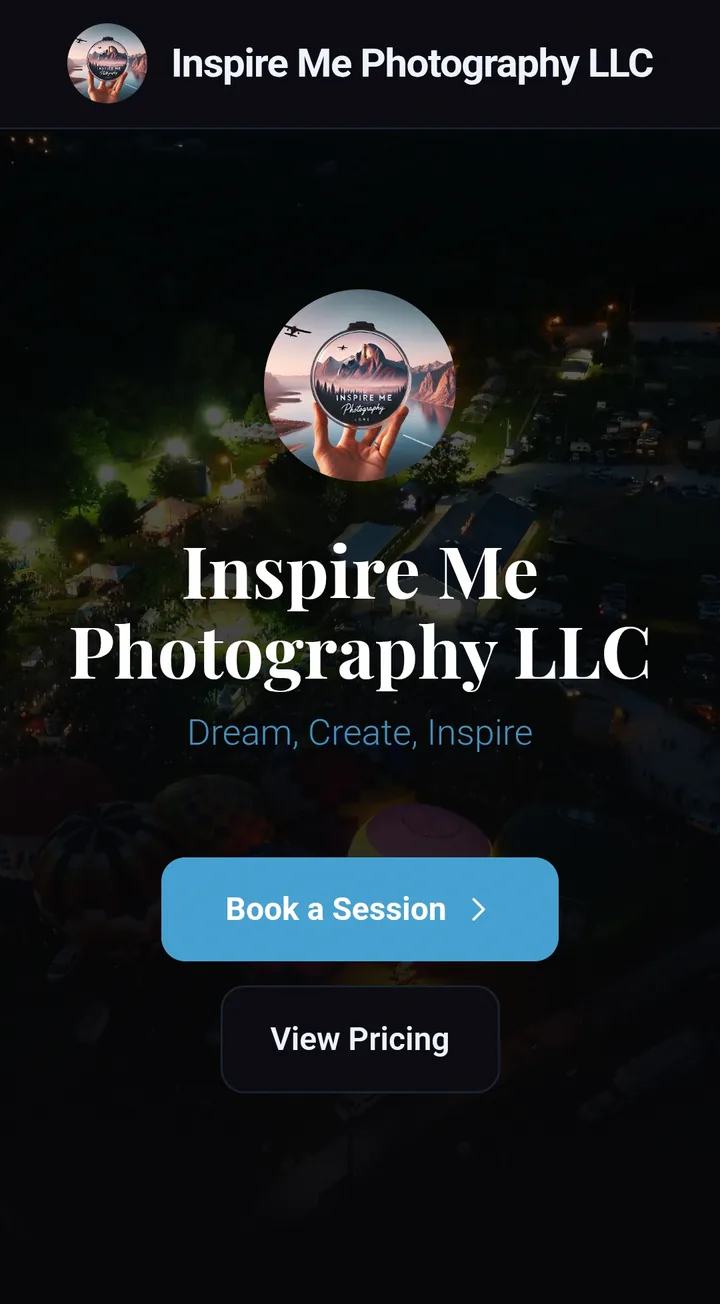
A studio's public FrameOps page with Book a Session and View Pricing buttons
Client CRMProposalsE-signed contractsInvoices & payment plansStripe paymentsClient portalGalleries & albumsOnline bookingMini sessionsQuestionnairesWorkflowsTelegram botAI assistantOn-Set DirectorAI cullingAI photo editingBusiness analyst
The whole job, one platform

From first hello to delivered gallery.

Follow a single booking through FrameOps. Pick a stage, or let it play. These are real screens from a live studio, not mockups.

app.frameops.app/book/your-studio
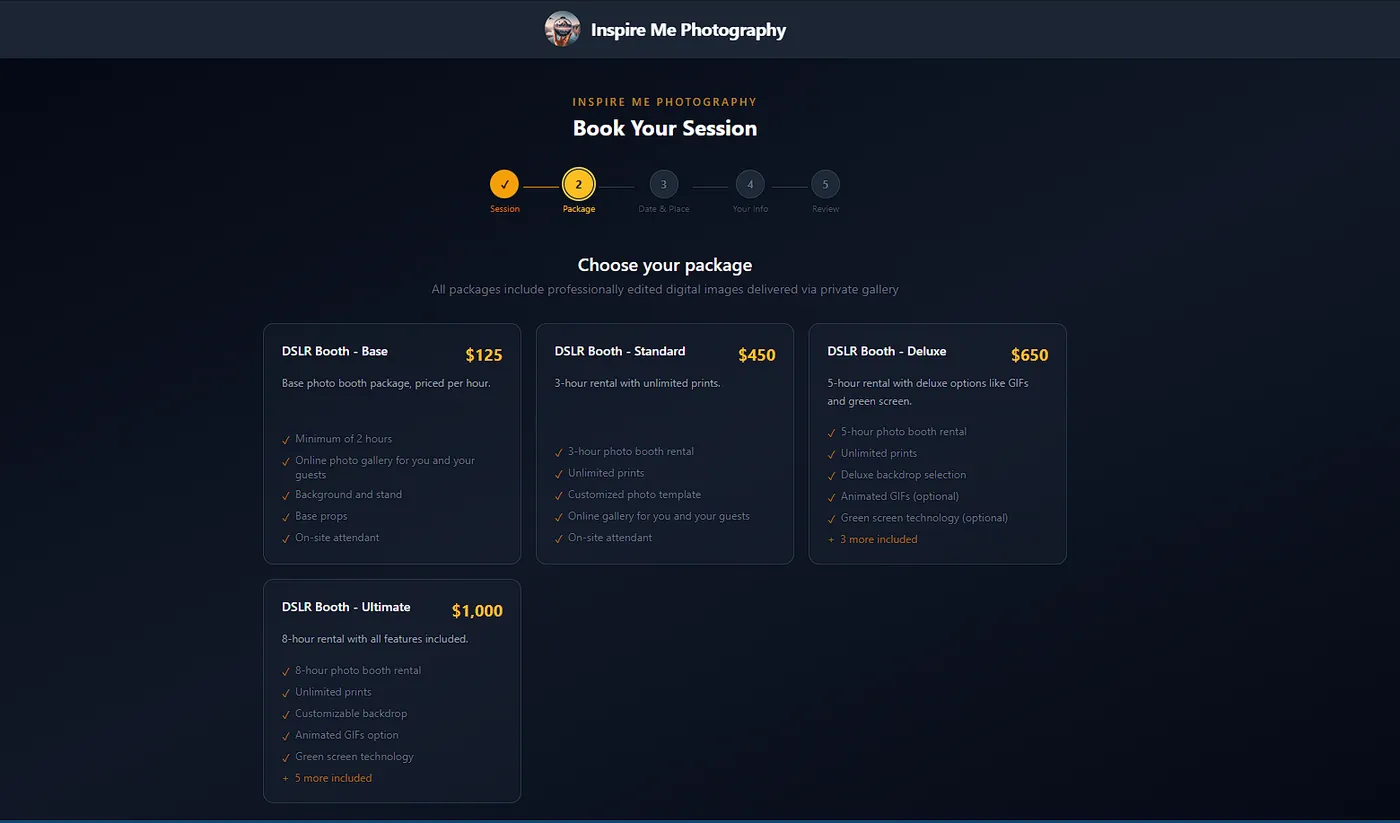
Online booking page where a client chooses a photo booth package
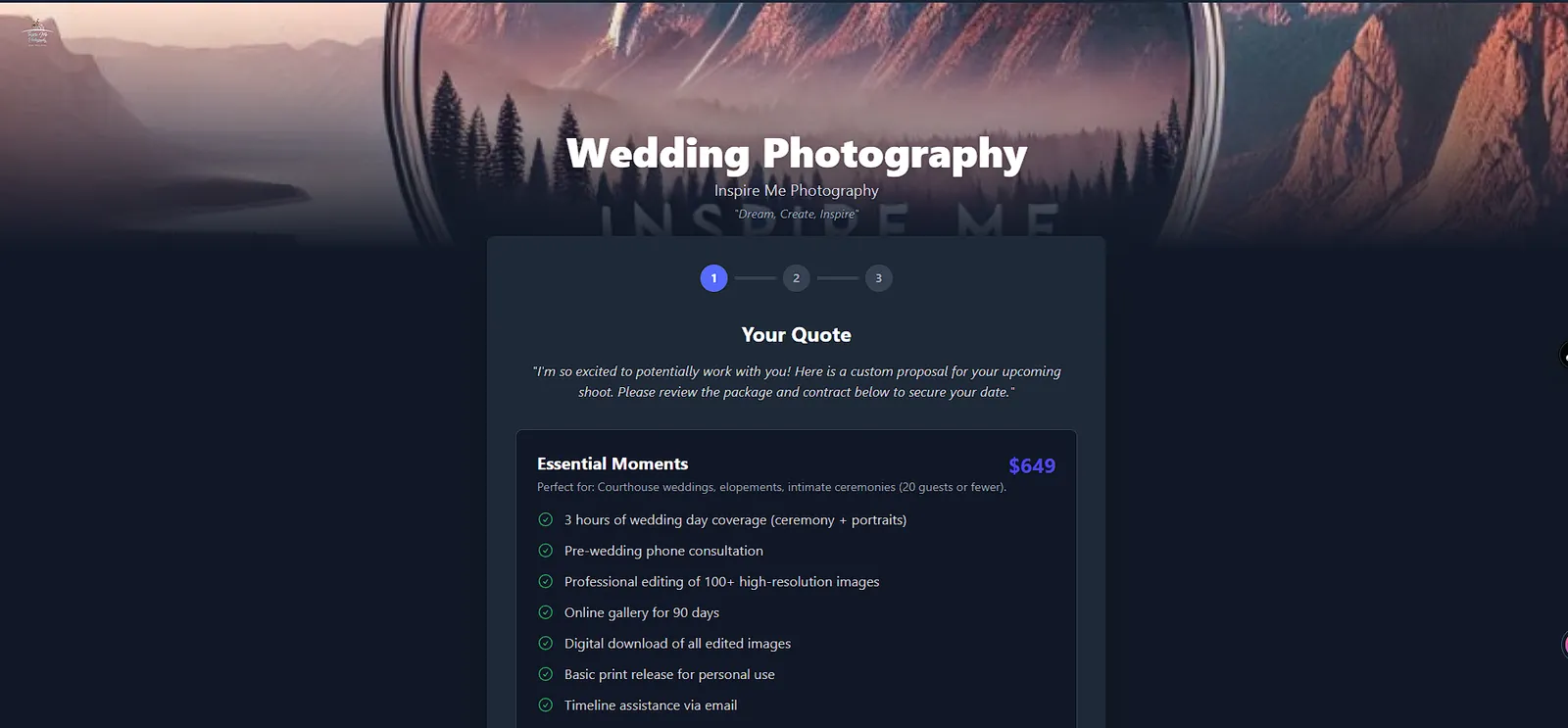
A branded proposal showing a package with included items and price
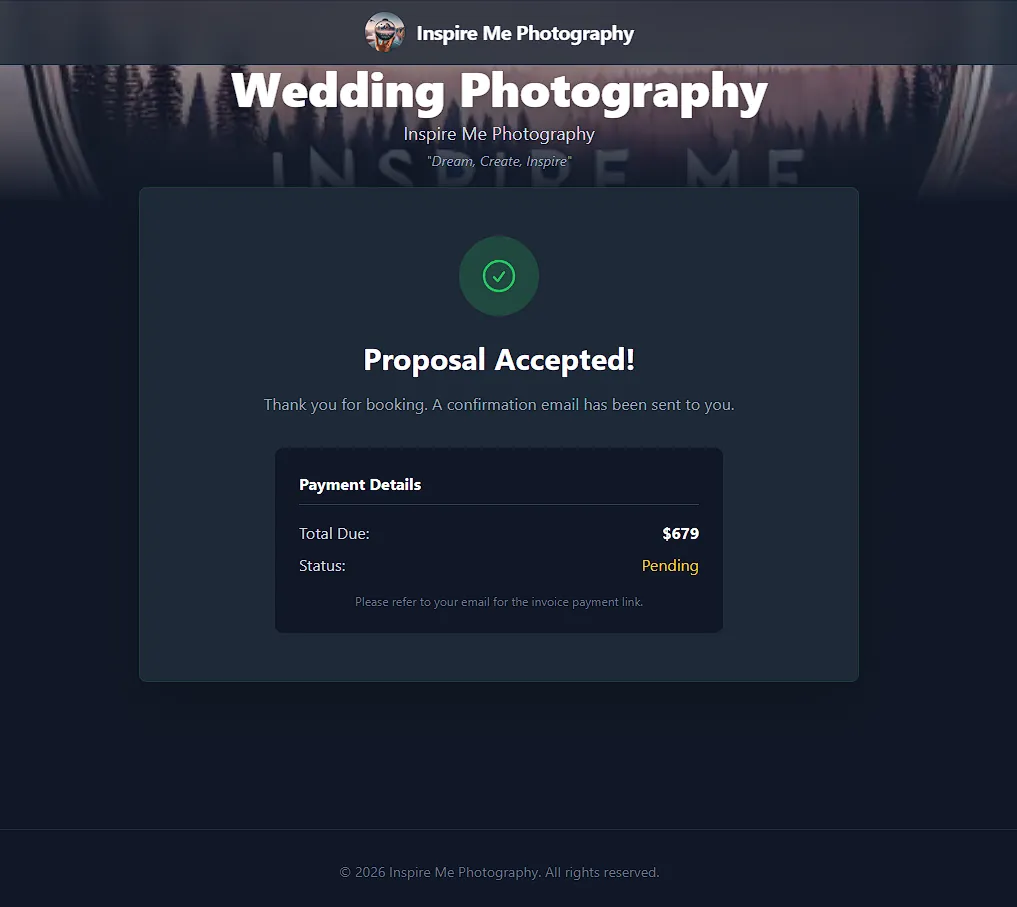
Proposal accepted confirmation with payment details
Project page with timeline, financials and onboarding checklist
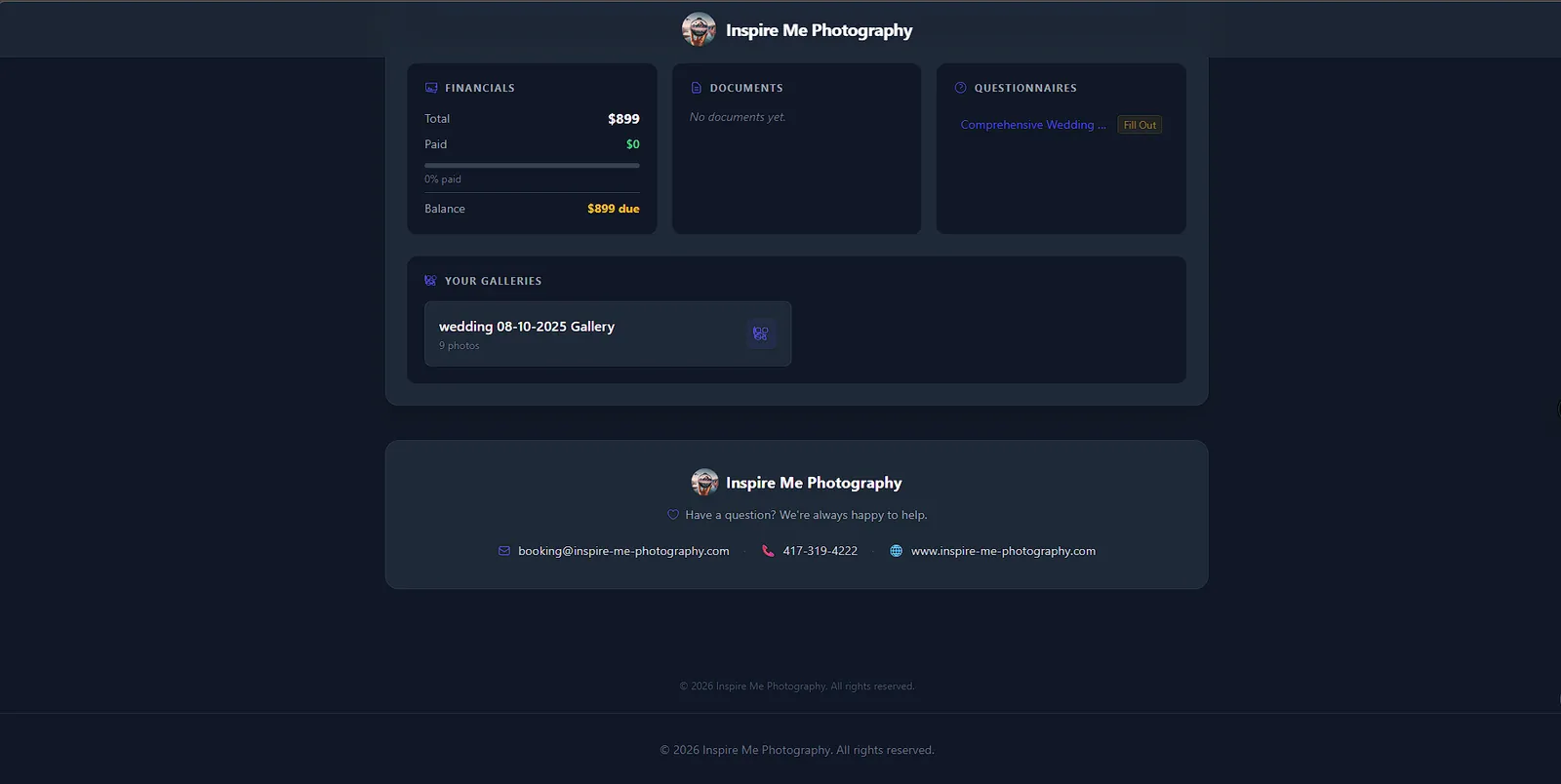
Client portal showing financials, documents, questionnaires and galleries

  1. Clients request a session on your branded booking page: pick a type, a package, a date. It lands in your Inquiries inbox as a new lead. On Studio and Pro, AI scores it 1–10 and drafts your reply.

    • Wedding, portraits, events, real estate, photo booth, aerial/drone
    • Optional deposit via Stripe on the confirmation screen
    • Or embed a form on your own website
    Booking page on every plan
  2. Build a proposal with your packages, add-ons and a cover photo. Clients read it on a page styled with your Brand Kit, accept or decline in one tap, and download a PDF.

    • AI line-item suggestions from your own packages
    • Expiration dates and automatic reminders for unsigned proposals
    • Accepted proposals convert to a project in one click
    Draft on Free · Send on Starter+
  3. Contracts and acceptances capture the signer’s name, timestamp, IP and device as an audit trail. Connect your own Stripe account and deposits and balances go straight to your bank, never through FrameOps.

    • 35+ contract templates, AI-drafted from your studio info
    • Payment plans that split a balance into online installments
    • Onboarding checklist shows what’s signed at a glance
    E-signature on Starter+
  4. One page per job: timeline, financials, payment schedule, shot list and tasks. On shoot day, On-Set Director talks you through the shot list hands-free.

    • Revenue, expenses and net profit per project
    • Questionnaires and AI task checklists for prep
    • Location scouting with weather and map pins
    Projects on every plan On-Set Director on Pro
  5. Clients sign in to a private portal for documents, invoices, questionnaires, galleries and messages. Galleries come with favorites, PIN protection, expiry dates, download controls and a cinematic album viewer.

    • Magic-link or PIN sign-in, no long bookmarked URLs
    • Workflows draft the delivery email and the review request for you
    • Message notifications without flooding anyone’s inbox
    Portal on every plan Branded on Starter+
No one else has this

AI that does the work, not just the talking.

Every demo below is a live loop of how the real tool behaves. Hover a card, watch it work.

smart_toy
Studio & Pro

An assistant that actually acts.

Ask by text or voice. It reads and changes your real data with 40+ tools: log expenses, mark payments paid, reschedule shoots, set reminders, draft proposals and emails. Higher-stakes actions wait for your Confirm, and everything has one-tap Undo.

Illustrative · Confirm first, undo anything

Example: you say “The Garcias paid their deposit.” The assistant marks that payment paid and offers Undo.

psychology
Pro

Live On-Set Director.

A voice AI second shooter. It tracks your shot list, suggests poses and lighting, recalls the client brief, and checks shots off when you call them out.

Illustrative · Shot list syncs from your project

send
Studio & Pro

Your studio, in Telegram.

Know the moment a lead or payment lands, then chat with your assistant from your phone. Same memory as the app.

Illustrative

target
Studio & Pro

Leads, scored and answered.

Every inquiry gets a 1–10 score and a reason, plus a reply drafted in your voice from your packages and Business Brain.

Illustrative

filter_center_focus
Pro

AI culling, before Lightroom.

Scores sharpness, exposure, composition and emotion, then recommends Keep or Reject with a reason. You make the final call.

Illustrative · Sample frames

account_tree
Starter 3 · Studio 10 · Pro ∞

Workflows that follow up for you.

Trigger, optional condition, action. Thirteen ready-made templates cover booking confirmations, gallery delivery, review requests and overdue-invoice reminders. You approve the drafts.

Illustrative · Built from real templates

account_balance_wallet
Studio & Pro

A CFO that reads your real numbers.

Profit per project, P&L reports, pricing suggestions and forecasts from your own bookings, plus a mileage log and receipt scanner that feed your deductions.

Illustrative data

And the business side, handled.

CRM, contracts, invoices, payment plans, questionnaires, mini sessions, calendar, Google sync and more, all in the same place.

CRM & clientsInvoices & payment plansFinance trackerGalleries & album editorClient messagingE-sign contractsMini sessionsGoogle Calendar, Drive, SheetsDaily BriefingReceipt scanningBusiness Brain
Explore every feature arrow_forward
AI photo editing

Edit it right where you deliver it.

Open any photo in your gallery and reshape it: day to dusk, a new sky, a new backdrop, a polished portrait. Hold to compare, undo anytime, then save the result straight back to the gallery. Great for concepts, client previews and social posts.

app.frameops.app/galleries · AI Editor
Twilight · 0:14

Real screen recordings of the FrameOps AI Editor

Studio · 20 edits / mo Pro · unlimited

Also in the editor: Enhance, Remix, Virtual Staging and Declutter. A fast second pair of hands, not a replacement for your Lightroom workflow.

Your studio’s front door

A first impression as good as your work.

Every studio gets a branded public profile, a pricing page where each package has a Book This Package button, a self-serve booking wizard, and a digital business card with a QR code. They’re styled from your Brand Kit and every request drops straight into your Inquiries inbox.

Real pages from Inspire Me Photography LLC, the studio FrameOps was built in.

Public profileBio · portfolio · book
Pricing pageEvery package, one tap to book
Digital business cardQR · save to contacts
Book your sessionStraight into your inbox

Tap any phone for the full-length screenshot

Simple, honest pricing

Four plans, one staircase.

Every plan includes everything on the step below it. Free gets you in the door, Starter lets you run the business, Studio turns the AI on, and Pro removes the caps. Pick a step to see what it adds.

Core tools, free forever.

What’s included
  • CRM, projects, calendar, notebook
  • Finance tracker, invoices, payment plans
  • Gallery delivery + album editor
  • Client portal (unbranded)
  • Public booking page (capped)
  • Proposals & contracts as drafts
  • No AI, workflows, or e-sign sending
3active projects
5clients
1gallery
3 GBstorage

Run the whole studio.

Everything in Free, plus
  • Send contracts & proposals for e-signature
  • Branded portal & public pages
  • Google Calendar, Drive, Sheets, Gmail
  • Mini-session events
  • 3 saved workflows
10active projects
25clients
10galleries
100 GBstorage

Turn the AI on.

Everything in Starter, plus
  • AI Assistant: 40 tools, undo/redo
  • Auto lead scoring + replies (25/mo)
  • Daily Briefing (20/mo) & receipt scanning
  • AI photo edits (20/mo), shot lists (10/mo)
  • Business Analyst
  • Scheduling Assistant & Location Scouting
  • Telegram bot
∞projects & clients
∞galleries
10saved workflows
300 GBstorage

Remove every cap.

Everything in Studio, plus
  • No monthly AI caps
  • Business Brain (your docs, your voice)
  • On-Set Director (live voice on the shoot)
  • Hands-free voice loop
  • Creative Assistant
  • AI Culling
∞AI usage
∞workflows
∞projects & galleries
1 TBstorage
Trial

14 days of Pro features, no card. Every new account starts here with 100 GB of storage. If you don’t subscribe, the account drops to Free and keeps its data.

Founder

Pro features free during the founding period, then $19.99/mo locked for life. 300 GB of storage and a Founding Member badge. 30 hand-picked spots.

Christopher R., founder of FrameOps
The founder’s lens

I built what I couldn’t find.

Christopher has spent 6 years in the trenches of commercial and wedding photography. He knew the pain of juggling six different subscriptions just to deliver a gallery and an invoice.

FrameOps was born in a darkroom. Not a literal one, but the metaphorical darkroom of late-night editing sessions and spreadsheet nightmares. It’s a platform built by a photographer, for photographers who want to reclaim their art from the administration.

Christopher R.
Founder & Lead Architect
Before you apply

Common questions

What happens when my trial ends, or if I cancel?

expand_more

Your account moves to the Free plan and nothing is deleted. Your clients, projects and galleries stay put while you decide, and you can upgrade again anytime. Free is capped at 3 active projects, 5 clients, 1 gallery and 3 GB.

Do I need my own AI key?

expand_more

No. AI runs through FrameOps’ own server-side connection, so there’s no key to find or paste in. AI tools are included on Studio and Pro, and during the 14-day Pro trial.

How do my clients pay me?

expand_more

You connect your own Stripe account. Invoices and booking deposits then show a Pay Now button, and the money flows straight to your Stripe account and your bank. FrameOps never touches it, and it’s separate from your own FrameOps subscription.

Will the AI do things without asking me?

expand_more

Higher-stakes actions, like creating a client, invoice or proposal, or rescheduling a shoot, show a confirm card first. Nothing is written until you tap Confirm, and every change has one-tap Undo and Redo. It can’t create or edit contracts or workflows, and it never marks an inquiry Booked on its own. Email replies are drafted for you to review.

What kinds of photography is it built for?

expand_more

Multi-service studios. The booking page supports weddings, portraits, events, real estate, photo booth and aerial/drone work, and you choose which session types to offer. Real estate galleries even export MLS-ready sizes.

Can I take my data with me?

expand_more

Yes. Settings has a full backup that downloads your data along with photos, documents and receipts, and you can export your client list to CSV any time. Cancelling never deletes your data.

Limited access · Founders Program

Stop fighting your workflow. Start creating.

We’re hand-picking 30 photographers to shape the future of FrameOps. Pro features with 300 GB of storage, free during the founding period, then locked at $19.99/mo for life, in exchange for real feedback that makes the product better.

Apply for Early Access arrow_forward

30 spots total · Hand-reviewed
No credit card

Founding cohort 30
  • check_circleFull Pro access while the program runs
  • check_circle300 GB storage and a Founding Member badge
  • check_circleDirect line to the FrameOps team on Telegram